AI Automation Levels: Green, Yellow, Red for Workflows
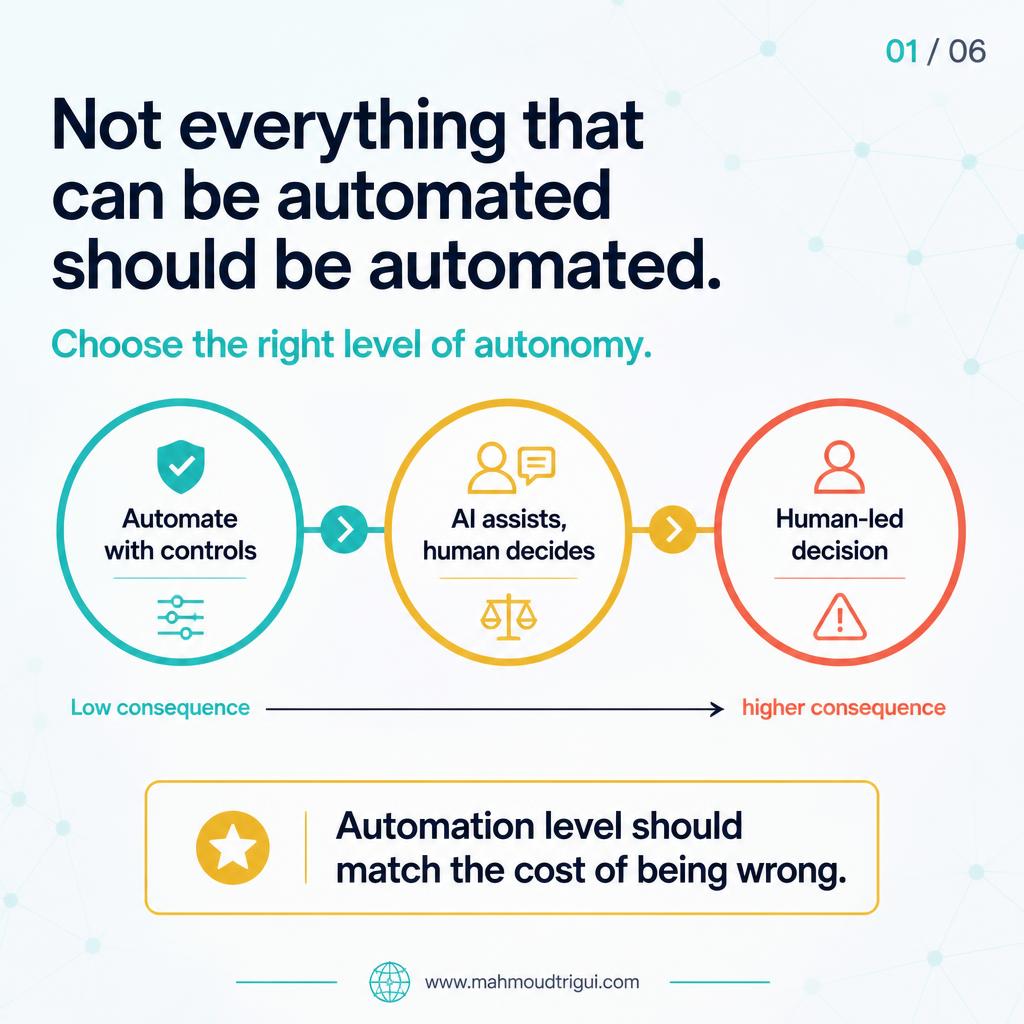
Not everything that can be automated should be automated. The question is: what should run automatically, what should be reviewed, and what should remain human-led?
TL;DR: Automation is not a binary choice — it is a decision about risk, reversibility, and accountability. Use the right level of autonomy for each workflow: automate with controls when errors are low impact and reversible, let AI assist with human judgment when exceptions matter, and keep high-consequence decisions human-led. Every Green workflow needs a quality gate that escalates uncertainty to review.
Visual Summary
The Problem
The biggest mistake in AI automation is trying to automate everything. A task being possible to automate does not mean it should be automated end to end. The more useful question is: what should run automatically, what should be reviewed, and what should remain human-led?
Without making those distinctions, you either miss out on real automation gains or you create high-consequence work that runs without sufficient guardrails.
The Approach
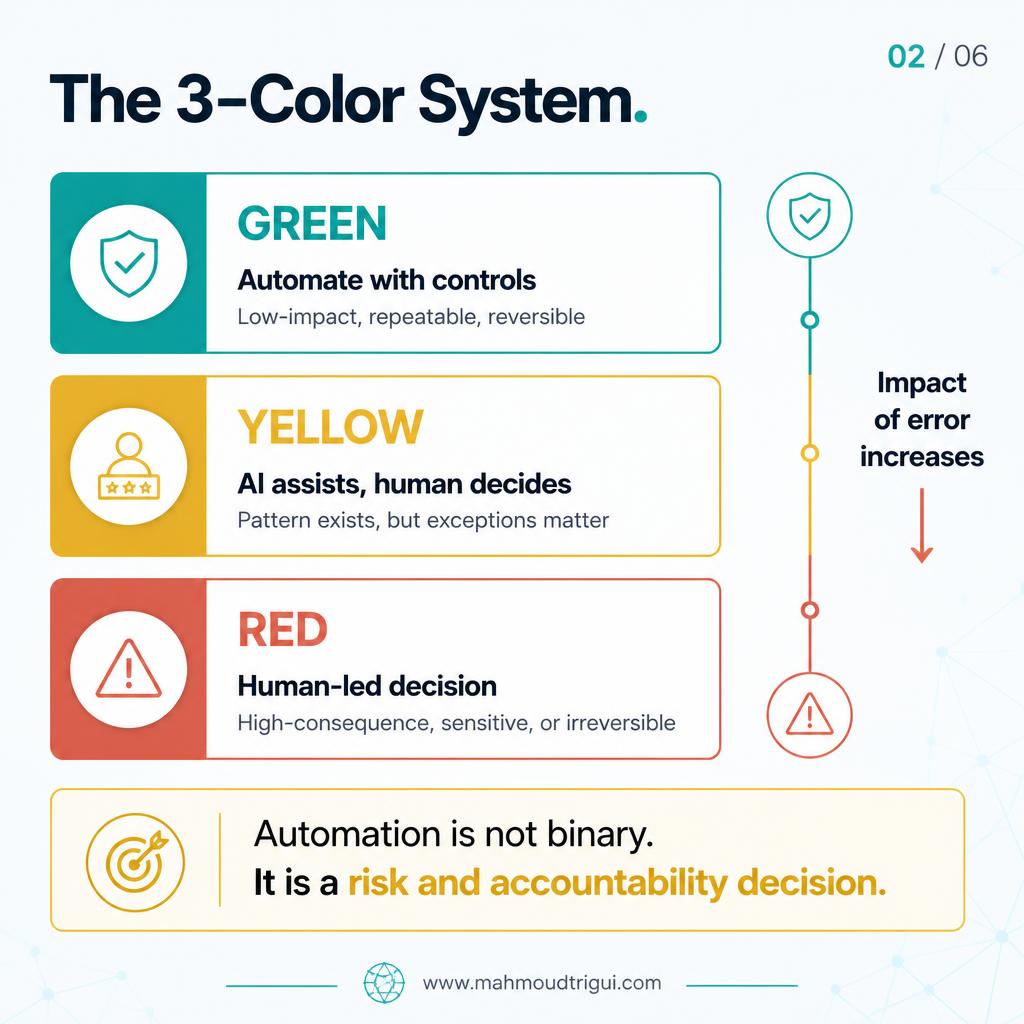
I use a simple three-level framework. Instead of a binary "automate or not", the level of autonomy matches the cost of being wrong.
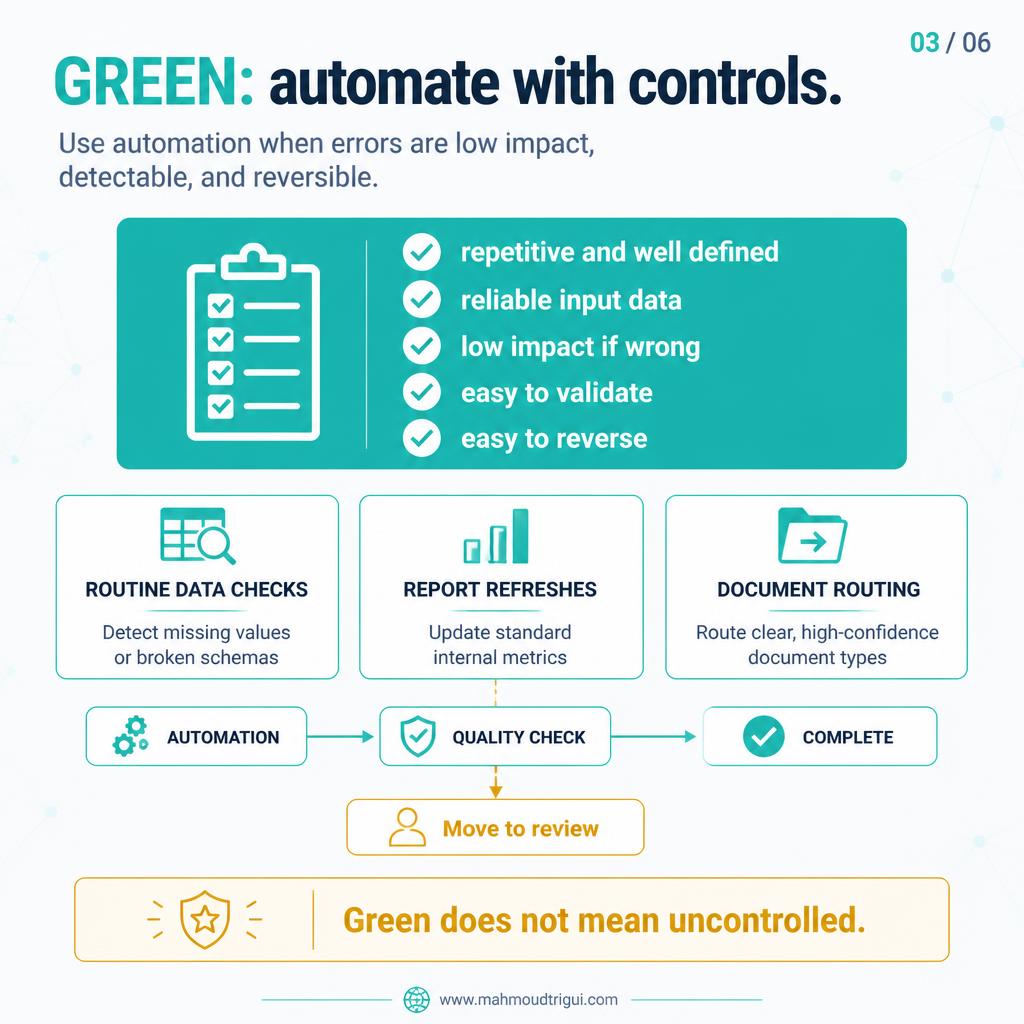
Green — Automate with controls
Use for work that is repetitive and well defined, has reliable input data, is low impact if wrong, easy to validate, and easy to reverse. Examples: routine data-quality checks, report refreshes, document routing with clear confidence rules, and low-risk internal categorisation. Every Green workflow needs a quality gate. If the system detects uncertainty, poor input quality, or a failed control, the case should move to Yellow for review before action.
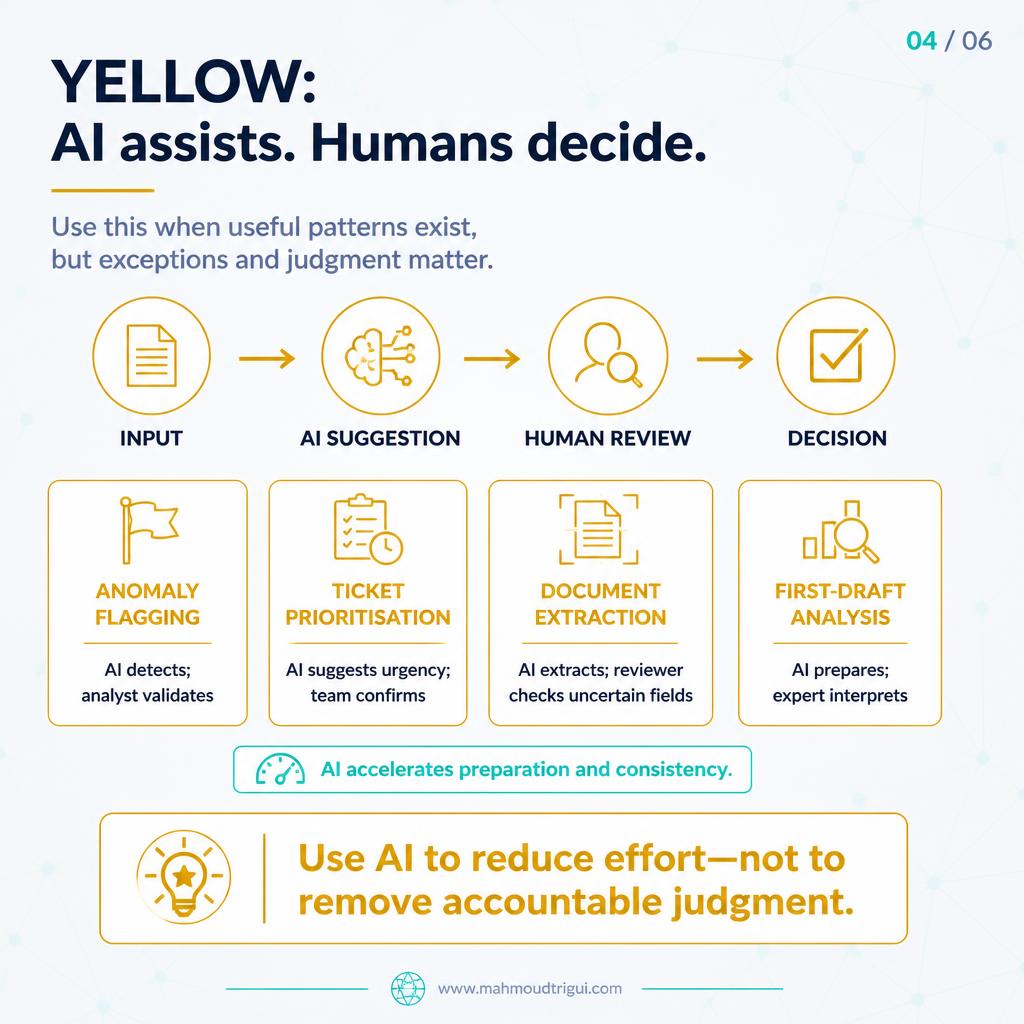
Yellow — AI assists, human decides
Use when there is a repeatable pattern but exceptions and judgment still matter. AI accelerates preparation and increases consistency, but the accountable decision stays human. Examples: anomaly detection, support-ticket prioritisation, first-draft analysis, document extraction with uncertain fields, and recommendation or escalation suggestions.
Red — Human-led decision
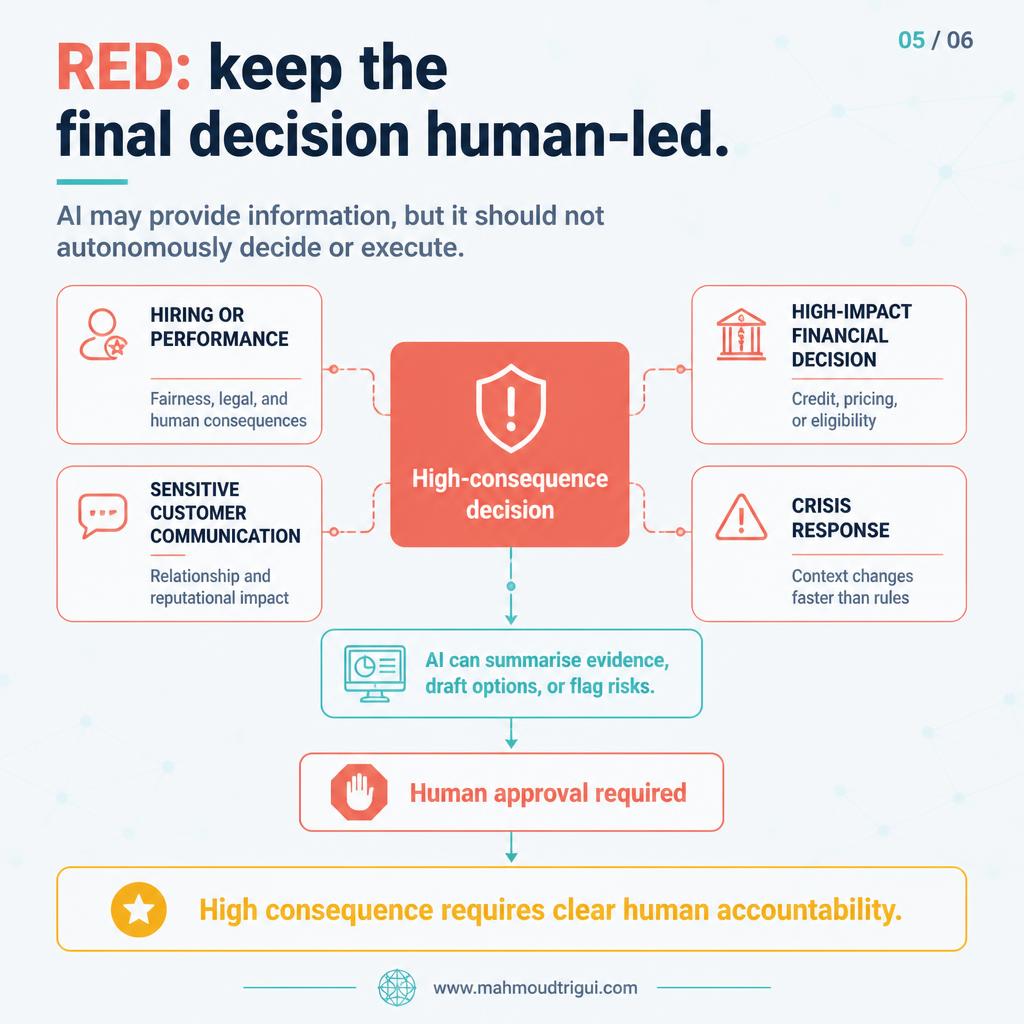
Use when errors could create serious legal, financial, ethical, reputational, or relationship harm. AI may still provide information (summaries, evidence, options, or risk flags), but it should not autonomously decide or execute. Examples: hiring and performance decisions, sensitive customer communications, high-impact pricing or credit decisions, crisis response, and irreversible strategic choices.
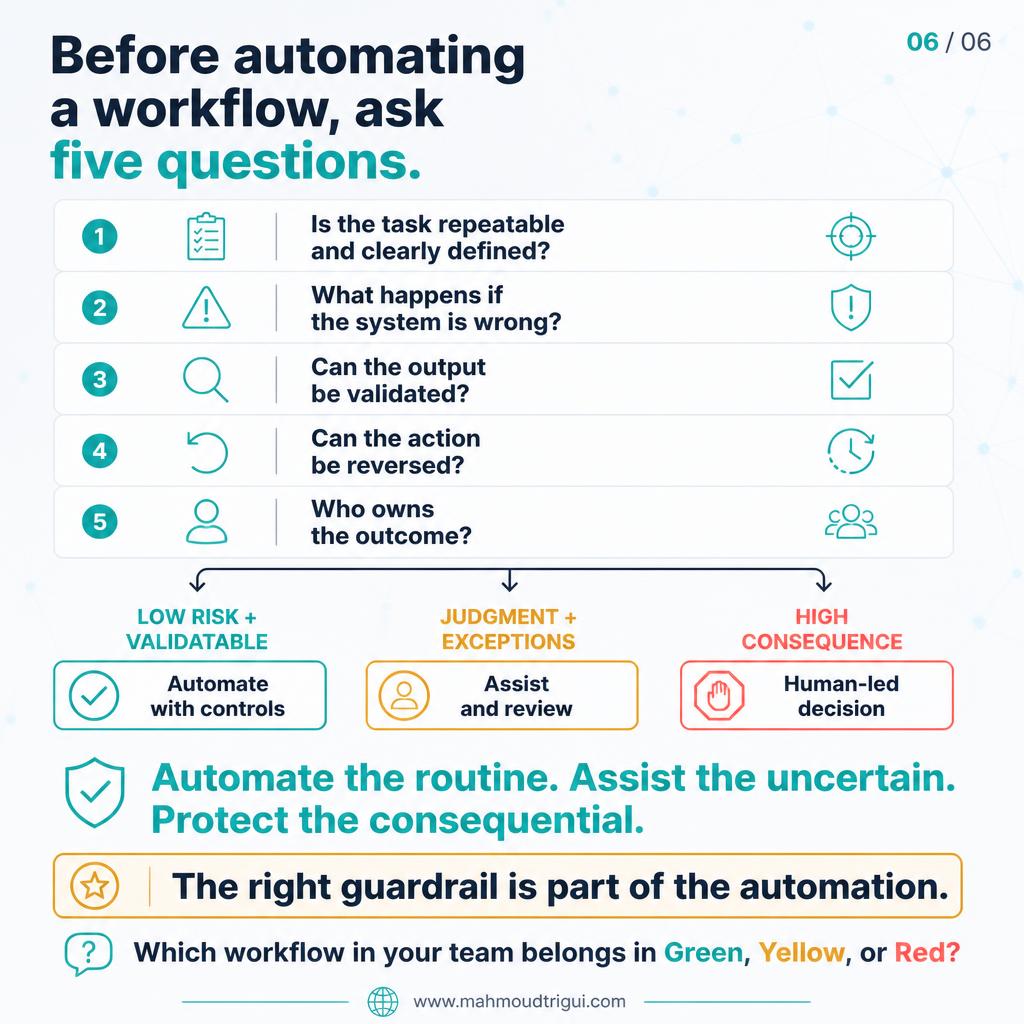
Before automating any workflow, I ask five questions: Is the task repeatable and clearly defined? What happens if the system is wrong? Can the output be validated? Can the action be reversed? Who owns the outcome?
Outcome
This framework moves the conversation from "can we automate this?" to "should we automate this, and under what guardrails?" It sets a clear escalation rule — when uncertainty, poor input quality, or a failed control appears, the case moves to review. The result is automation that is selective, defensible, and honest about accountability.
Automate the routine. Assist the uncertain. Keep high-consequence decisions human-led.
Key Takeaway
Design insight: Automation is not a binary choice — it is a decision about risk, reversibility, and accountability. Use the right level of autonomy for each workflow: automate with controls when errors are low impact and reversible, let AI assist with human judgment when exceptions matter, and keep high-consequence decisions human-led. Every Green workflow needs a quality gate that escalates uncertainty to review.
Related
AI Maturity Levels: From Demo to Platform → The AI Didn't Replace the Classifier — It Replaced the Training Backlog → LLM Fallback Strategy: What Happens When the Model Fails? → A Valid LLM Response Is Not Necessarily a Safe Decision → AI Architecture Production Readiness: 5 Red Flags → Rule vs Model vs LLM: Which Should You Use? → AI Post-Launch Ownership: Who Owns the System in 6 Months? → Automate Maintenance, Keep Judgment Human →
FAQ
What is the key takeaway from "AI Automation Levels: Green, Yellow, Red for Workflows"?
Automation is not a binary choice — it is a decision about risk, reversibility, and accountability. Use the right level of autonomy for each workflow: automate with controls when errors are low impact and reversible, let AI assist with human judgment when exceptions matter, and keep high-consequence decisions human-led. Every Green workflow needs a quality gate that escalates uncertainty to review.
Who wrote this and what is it about?
This was written by Mahmoud Trigui, Senior Data Scientist. AI automation levels decide what to automate with controls, what AI should assist a human on, and what must stay human-led because the cost of error is high.
Why not automate everything that is technically possible?
Because automation level must match risk, reversibility, and accountability. Some low-risk tasks can run with quality gates (Green), tasks with exceptions need human judgment (Yellow), and high-consequence decisions should remain human-led (Red).
What should trigger escalation from Green to Yellow?
When the system detects uncertainty, poor input quality, a failed validation, or any signal that the output cannot be confidently accepted, the case should move to review before action.
What kind of AI support is allowed in Red?
AI can still help by summarising evidence, listing options, or flagging risks — but it must not autonomously decide or execute. The final decision must be made and approved by a human with clear accountability.
What five questions should I ask before automating a workflow?
Is the task repeatable and clearly defined? What happens if the system is wrong? Can the output be validated? Can the action be reversed? Who owns the outcome?