If your AI coding assistant keeps missing your standards, the problem may not be the model
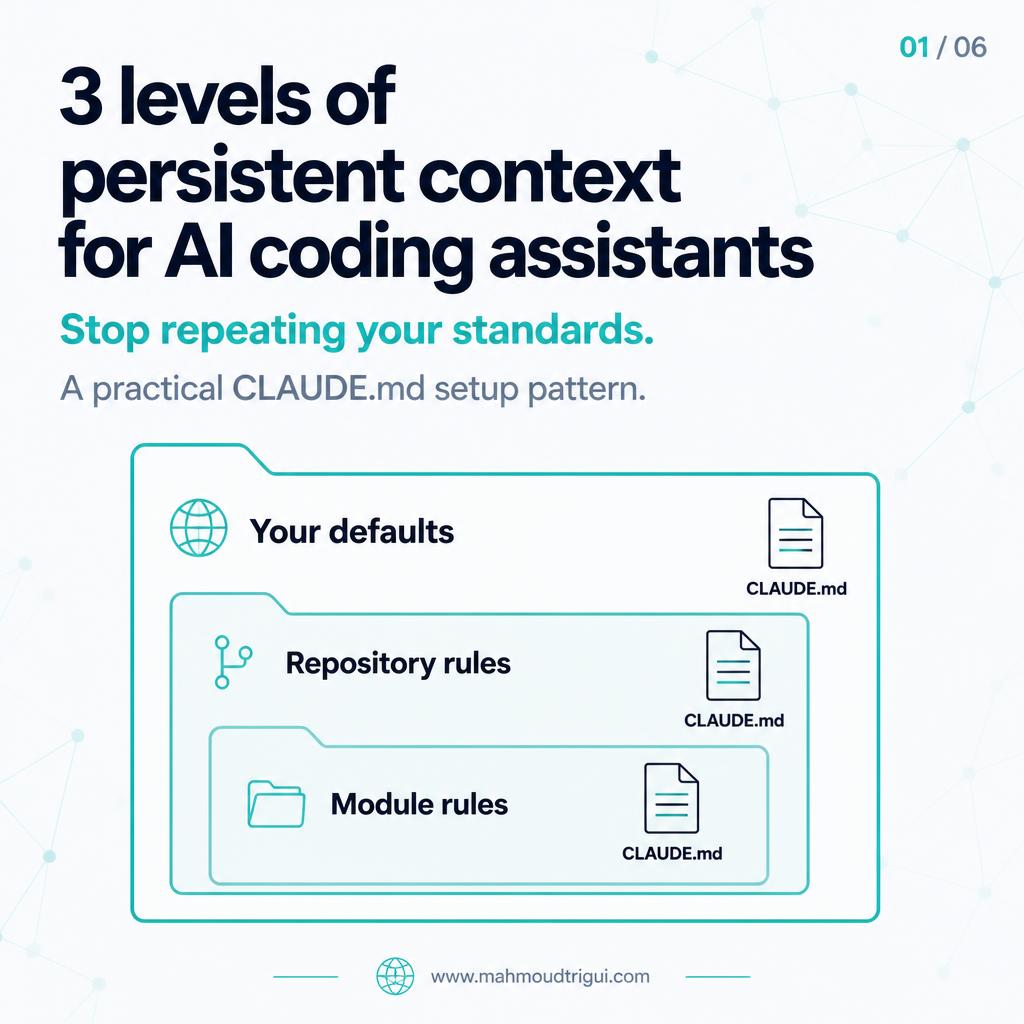
Persistent, layered CLAUDE.md instructions — user, project, and directory level — reduce repeated corrections and give the assistant a stable starting point.
TL;DR: The best instruction files are short, concrete, and maintained like code. This will not make every generated change correct, but it gives the assistant a stable starting point and reduces the context you need to repeat in every session.
Visual Summary
The Problem
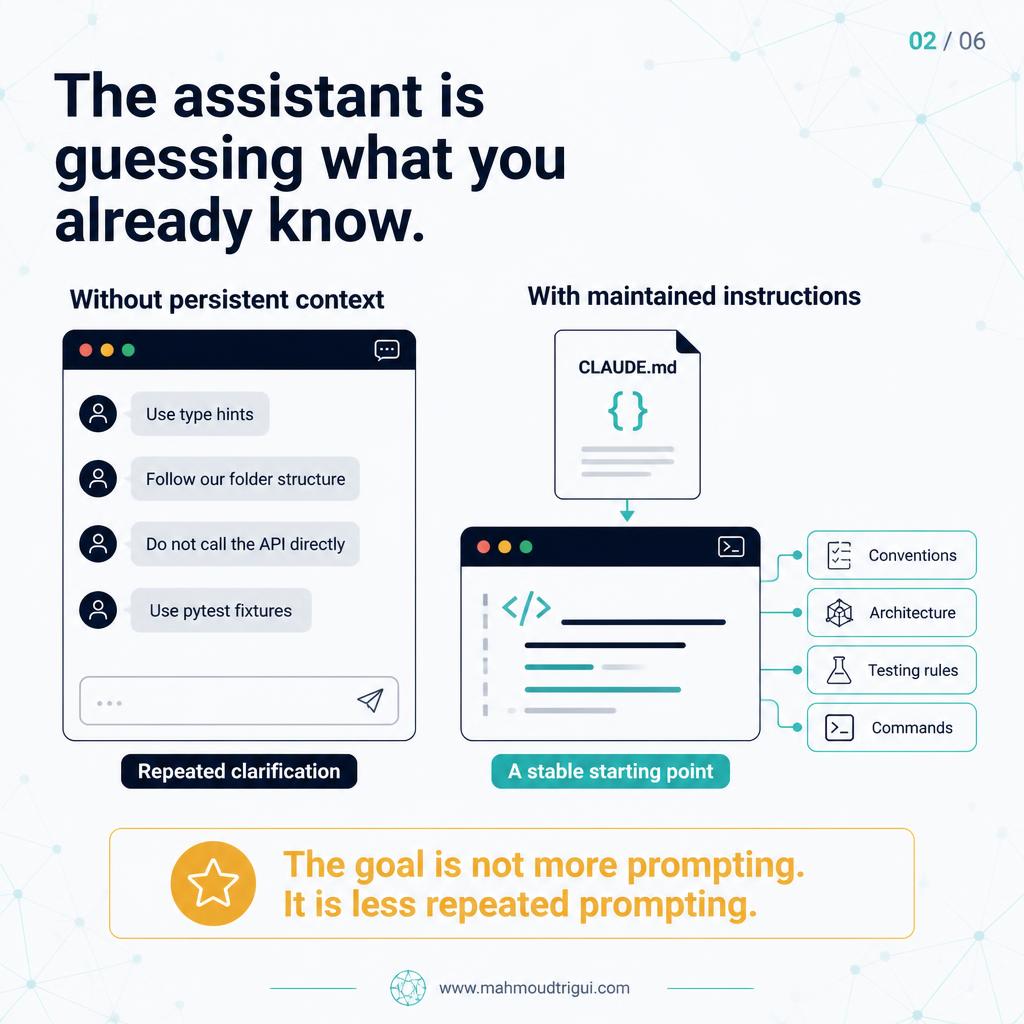
If your AI coding assistant keeps missing your standards, the problem may not be the model. It may be that your standards only exist in your head. Most AI coding tools can work with persistent project instructions — context that tells the assistant how you write code, how the repository is structured, and what rules apply before every new task.
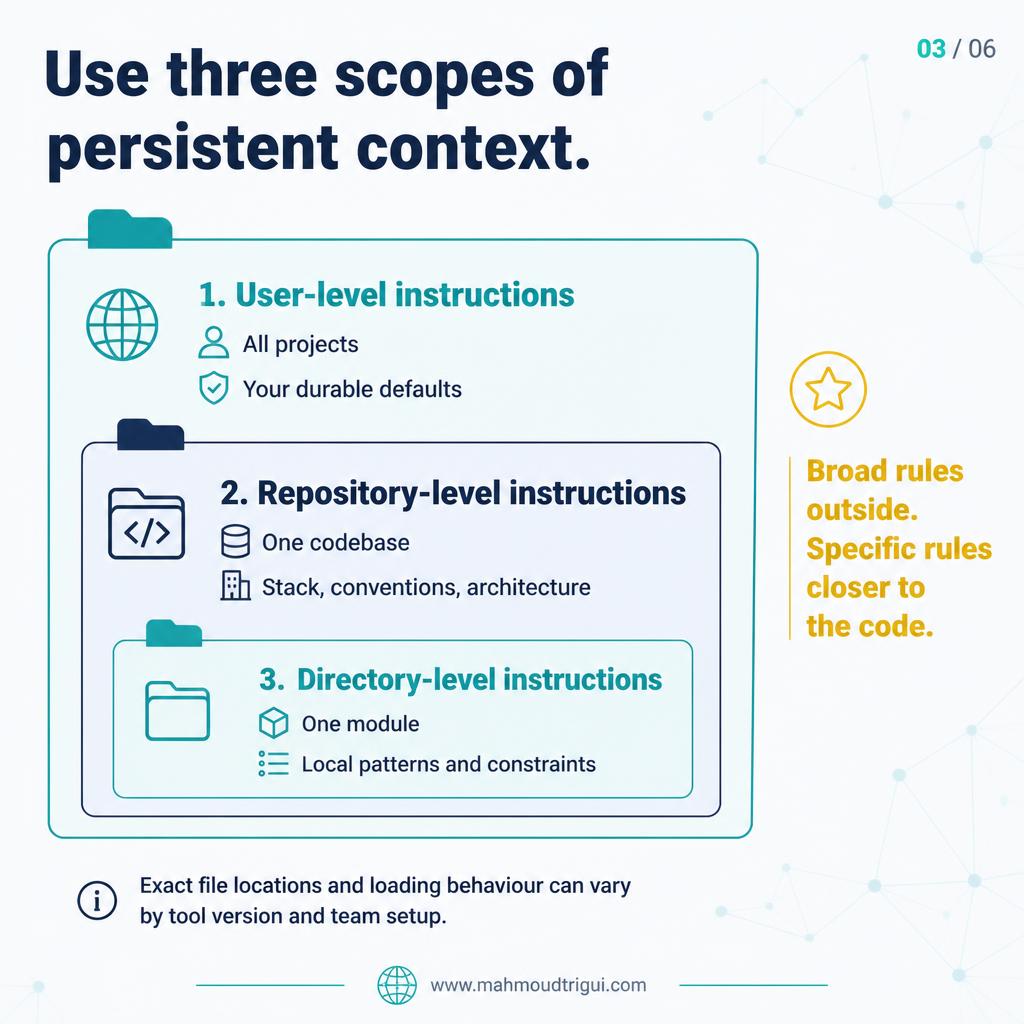
The Three Layers
User-level instructions
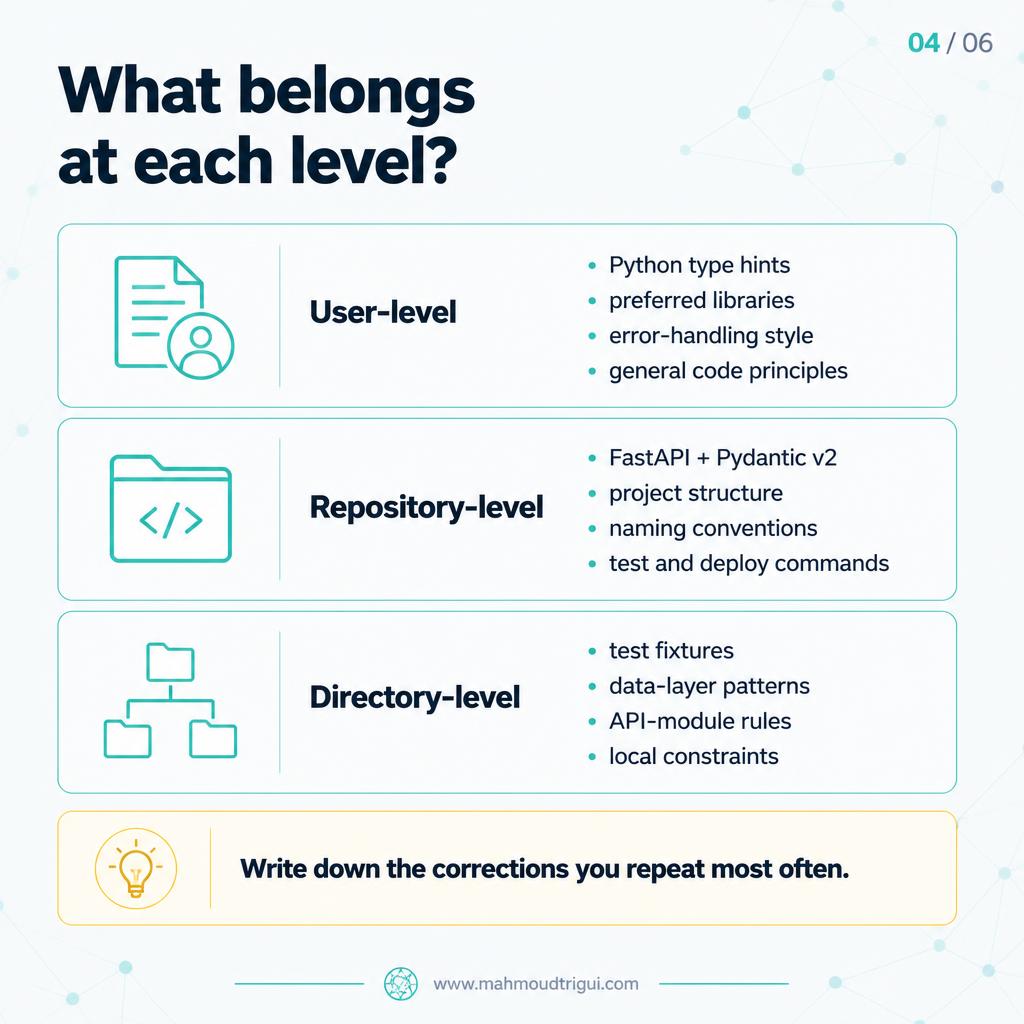
Your defaults across projects. For example: use Python type hints, prefer composition over inheritance, fail fast and log clearly, do not use print() in production code. These follow you everywhere.
Project-level instructions
The rules for one repository. For example: FastAPI + Pydantic v2, async database access, endpoint naming conventions, testing and deployment commands. These capture the architecture decisions that apply to this codebase specifically.
Directory-level instructions
Local rules for one part of the codebase. For example, your /tests directory may require: pytest fixtures, independent tests, mocked external APIs, no real network calls. These prevent the assistant from applying the wrong conventions in the wrong context.
What to Write First
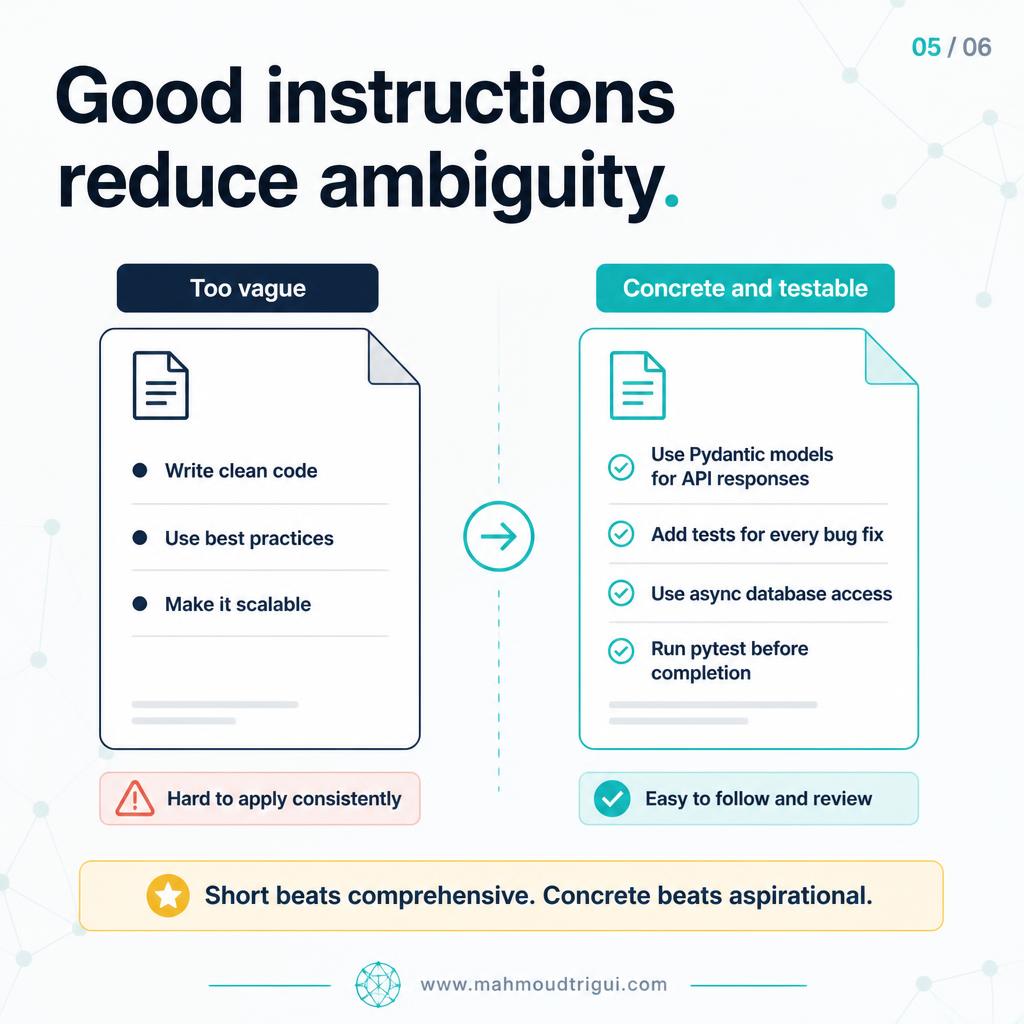
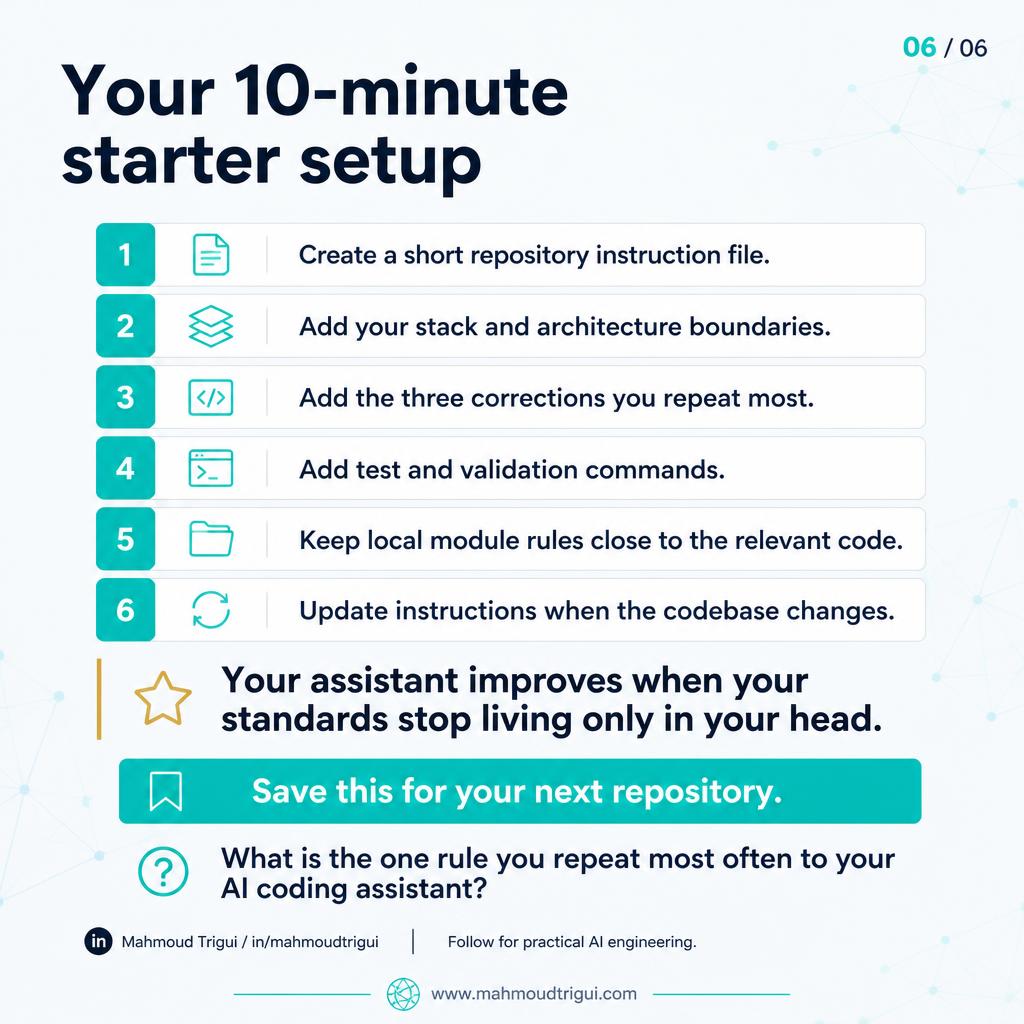
The goal is not to write a 200-line rulebook. It is to remove the repeated decisions that the assistant currently has to guess. Start with the things you correct most often:
- Coding conventions
- Preferred libraries
- Architecture boundaries
- Test patterns
- Commands to run before a change is complete
Key Takeaway
Design insight: The best instruction files are short, concrete, and maintained like code. This will not make every generated change correct, but it gives the assistant a stable starting point and reduces the context you need to repeat in every session.
Related
SPARC: A Practical Checklist for AI Code Requests →Prompt Versioning: How LLMOps Makes Prompts Reversible →AI-Assisted Coding: Specification →Open-Source AI Coding Agents →Enterprise LLM Wrapper →Rule vs Model vs LLM →NLP Classification vs LLMs →LLM Image Classification →Stable vs Changing LLM Context →AI Can Review Feature Code. It Cannot Approve It → Not All AI Assistance Deserves Equal Trust →
Comments
FAQ
What is the key takeaway from "Claude Code Project Instructions"?
The best instruction files are short, concrete, and maintained like code. This will not make every generated change correct, but it gives the assistant a stable starting point and reduces the context you need to repeat in every session.
Who wrote this and what is it about?
This was written by Mahmoud Trigui, Senior Data Scientist. Most AI coding tools can work with persistent project instructions. Layered CLAUDE.md files — user, project, and directory level — reduce repeated corrections and give your AI assistant a stable starting point.